
How to Download League of Legends and Learn How to Play in 2025
If you are wondering how to download League of Legends and start playing in 2025, you are not alone. League of Legends continues to attract new players thanks to its competitive gameplay, massive esports scene, and rich universe created by Riot Games.
This beginner-friendly guide explains how to download League of Legends, how to install the client, and how to start playing without feeling overwhelmed during your first games.
Key Takeaways
- League of Legends is free to play on PC and Mac
- You need a Riot Games account to access all Riot Games titles
- Teamfight Tactics is included in the LoL client and also available on mobile
- Wild Rift is the mobile-only version of League of Legends
- Learning LoL takes time, but it can be fun and rewarding if you go step by step
Table of Contents

How to Download League of Legends
Let’s start with the basics.
League of Legends is a 5v5 MOBA where two teams fight to destroy the enemy Nexus. The game is free, and you don’t need to spend money to be competitive. Everything that matters — mechanics, game knowledge, decision-making — comes from playing and learning.
To get started, you’ll first need a Riot Games account.
Step-by-Step: Downloading League of Legends
- Go to the official League of Legends website
- Create a Riot Games account or sign in
- Choose your platform (Windows or Mac)
- Download the installer
- Run the file and follow the installation steps
- Open the LoL client and let it update
The download usually takes 15 to 20 minutes, depending on your internet connection.

Installing and Launching the LoL Client
Once the client is installed, don’t worry if it starts downloading updates right away — that’s normal. League of Legends receives frequent patches, and the client always makes sure you’re on the latest version.
The good news is that LoL doesn’t take up a huge amount of disk space, so you don’t need a high-end PC to play.
Learning How to Play League of Legends as a Beginner
League of Legends isn’t hard, but it is deep. There are many champions, items, roles, and systems, and no one understands everything right away.
Enjoy the Game (Even When It Goes Wrong)
You’ll lose games. You’ll make mistakes. Sometimes you’ll feel like you’re stuck in a 30-minute match you just want to forget.
That’s normal.
Try to enjoy the process. Focus on small wins: landing an ability, farming better, surviving a fight. If you’re constantly frustrated, learning becomes much harder.
Learn One Thing at a Time
One of the biggest beginner mistakes is trying to learn everything at once. Instead:
- Pick one role to focus on
- Play a few champions consistently
- Ignore advanced concepts until you feel ready
Slow progress is still progress.
Teamfight Tactics: How to Play on Mobile and PC
If regular League of Legends feels too intense at first, Teamfight Tactics (TFT) is a great alternative.
TFT is an auto-battler where you build teams of units that fight on their own. The challenge isn’t fast reactions — it’s strategy, positioning, and decision-making.
Playing Teamfight Tactics on PC and Mac
If you already installed League of Legends:
- Open the LoL client
- Click “Play”
- Select Teamfight Tactics
That’s it. TFT is already included in the client, no extra download needed.
Playing Teamfight Tactics on Mobile
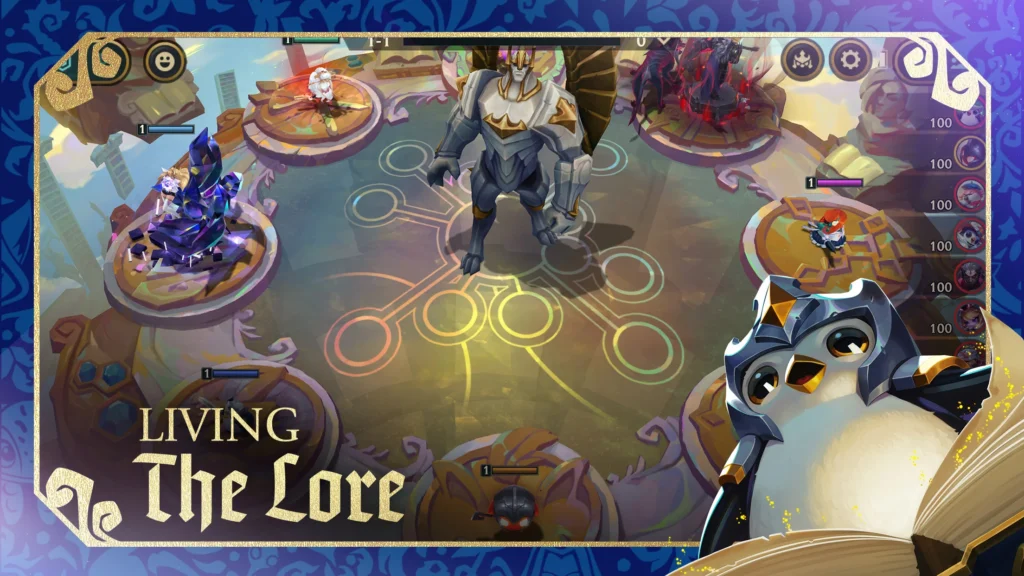
TFT also works extremely well on mobile and is perfect for playing in short sessions.
👉 Download TFT on Android
👉 Download TFT on iOS
Why Many Players Love TFT Mobile
- You can play at your own pace
- No mechanical pressure
- Easy to pause and come back
- Same Riot account across platforms
For many beginners, TFT is a relaxed way to get familiar with Riot’s universe before jumping into full MOBA matches.
League of Legends: Wild Rift Download Guide
Wild Rift is League of Legends rebuilt for mobile devices. The matches are shorter, the controls are optimized for touchscreens, and the experience feels smoother on phones.

It’s important to know that Wild Rift is separate from PC League of Legends. Your progress doesn’t carry over.
👉 Download Wild Rift on Android
👉 Download Wild Rift on iOS
Wild Rift is ideal if you want competitive games but don’t have time for long PC sessions.
First Steps and Beginner Advice
Choose a Simple Role
Top lane, mid lane, and support are usually easier for beginners. They help you learn farming, trading, and map awareness without too much pressure.
Don’t Stress About Champions
Start with beginner-friendly champions. Play a few games, see how they feel, and switch if you don’t enjoy them. There’s no wrong choice early on.
Use Practice Modes
- Play Co-op vs AI to learn champions safely
- Practice abilities and combos
- Focus on surviving and farming rather than winning fast
Everyone starts somewhere.
Learn More and Improve Faster
For more guides explaining how to download League of Legends and improve as a beginner, visit our homepage:
https://esportbonus.com/
Now that you know how to download League of Legends, install the client, and choose the right game mode, the most important step is simply to start playing. Learning League of Legends takes time, but every match helps you improve and better understand the game.
References
- League of Legends Beginner Guide: https://youtu.be/j0Uk0hty_ZM?si=yqWRUFaHolKGd1mN
- LoL Basics Explained: https://www.youtube.com/watch?v=9LPPtrYqtek